01
The groove
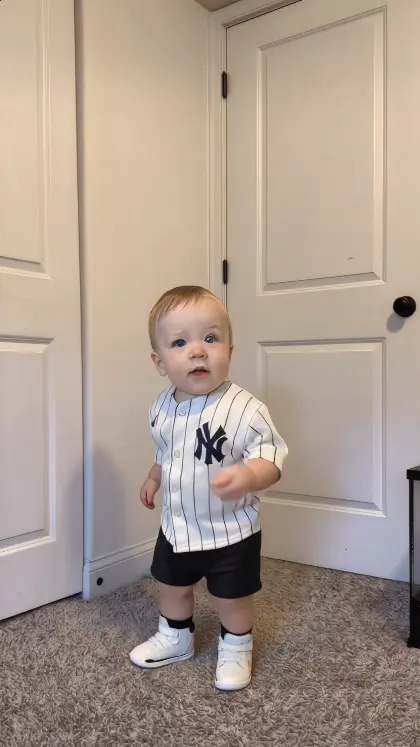
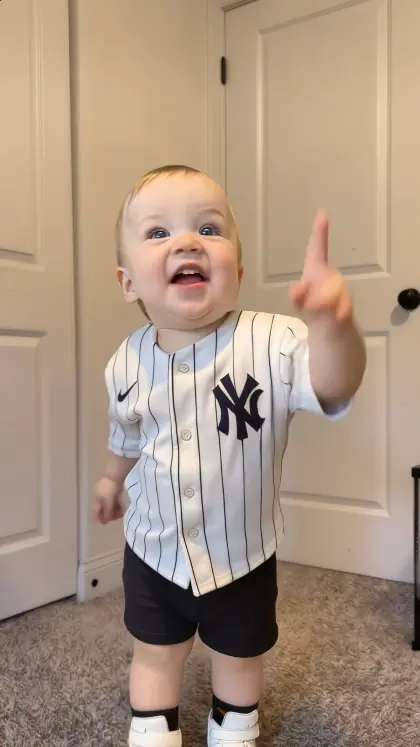
Hands up as the beat kicks in, right where the photo was taken.
One photo of your baby or anyone. They dance the viral routine to the beat, in their own scene.
Pay once · Credit back if a render fails
Create
Add a photo of your baby or any person and tap generate. They dance the Thank You Baby routine in the same place your photo was taken.
Your photo
One person facing the camera, as much of the body visible as possible
Rendering takes a few minutes. If a render fails, your credit is restored automatically.
Example result
Every video follows the same Thank You Baby routine, beat for beat. The person in your photo dances it, and the background from your photo stays as it is.
Sample frames. Your video uses your own photo.
3 steps
One photo in, one finished clip out. No editing, no filming.
A baby or any person, with as much of the body visible as possible. Full-body photos dance best.
Nothing to set up. Every video uses the same Thank You Baby routine and keeps the background from your photo.
Rendering takes a few minutes. Then download your 15-second HD MP4.
Photo tips
The model can only animate what it can see. A clear photo with the whole body gives it the most to dance with.
Face the camera in even light, with nothing covering the face.
Anything hiding the face makes the result look less like you.
Full-body photos give the model arms and legs to dance with. Upper-body photos also work.
Use photos of yourself, your own children, or adults who gave permission to appear.
About
Thank You Baby AI makes the person in your photo dance the viral Thank You Baby routine. Upload a baby photo or a photo of anyone: the video model animates them to the dance and keeps the background from your photo.
Every result is AI-generated video, not real footage. This is an independent tool and is not affiliated with the creators or platforms behind the original trend.
Pricing
Pick how many videos you want. Pay once, no subscription. If a render fails, the credit comes back automatically.
$9.90
One video starring you.
$9.90 per video
What you get
$39.60$29.90
Try different photos, or put different friends in it.
$7.48 per video
What you get
$69.30$49.90
Videos for you, your friends and every group chat.
$7.13 per video
What you get
FAQ
Everything to know before you make your first video.
An AI video generator that makes the baby or person in your photo dance the viral Thank You Baby routine, in the same scene as your photo.
Upload one clear photo, confirm you have permission to use it, and tap generate. The model takes the person and the background from your photo and the moves from our reference dance, then renders the clip on our servers.
Videos come in packs: 1 for $9.90, 4 for $29.90 or 7 for $49.90. Each generation uses one credit. There is no subscription.
Usually a few minutes. You can leave the page; the video shows up in My videos when it is ready.
One person facing the camera in even light, with as much of the body visible as possible and no sunglasses, hat or mask. Full-body photos work best. JPG, PNG or WebP up to 8 MB.
If a render fails, the credit used for it is restored to your account automatically, so you can try again. This restores the credit; it is not a cash refund.
Your photo is stored privately and used only to generate your video. Uploaded photos are kept for 30 days and finished videos for 90 days.
Photos of your own children are fine. Anyone else must be an adult who has agreed to appear. Do not upload photos of other people's children, or of anyone without their permission.
No. Every video is AI-generated. This is an independent tool, not affiliated with the creators of the original trend.
One photo, a few minutes, one dancing clip.